BPO order auto-accept software

Receive 80% more BPO orders.

BpoFlow reads your vendor emails and accepts matching orders in 4–12 seconds. It runs 24/7.

JMARSKLP+
Trusted by hundreds of brokers across the U.S.
Supports 13 of the major BPO vendors
National vendors Regional vendors Drive-by orders Interior BPOs Inspection orders + exclusive feeds
By the numbers

Orders are accepted the moment
they're broadcast.

BpoFlow monitors your inbox around the clock and responds faster than anyone can manually.

13
Major vendors included
out of the box.
4–12 sec
Average time from email
broadcast to accepted.
24/7
Works round the clock,
365 days a year.
35K+
Orders accepted by
BpoFlow so far.
Features

What BpoFlow does.

Email parsing, order filtering, and automatic acceptance across 13 BPO vendors.

Real-time inbox capture

Vendor emails forward to your dedicated BpoFlow address and are parsed the second they arrive.

Filtering rules

Set zip codes, minimum fee, and a daily limit. Only orders that match are accepted.

Portal logins & captcha

For vendors that require a website login, BpoFlow signs in and solves the captcha automatically.

Order log

Every order is logged — accepted, rejected, or missed — with the reason and per-vendor breakdowns.

Local IP

Acceptance runs from an IP local to your region, so vendor portals see normal activity.

Pay per accepted order

$2 per accepted BPO, $1 per inspection. No accepted order, no charge.

How it works

Set up in three steps.

Live in under ten minutes.

Step 01 · Connect your inbox

Forward vendor emails to your BpoFlow address.

You get a dedicated address on signup. Add one forwarding rule in your email client.

  • Works with Gmail, Outlook, Yahoo, and IMAP
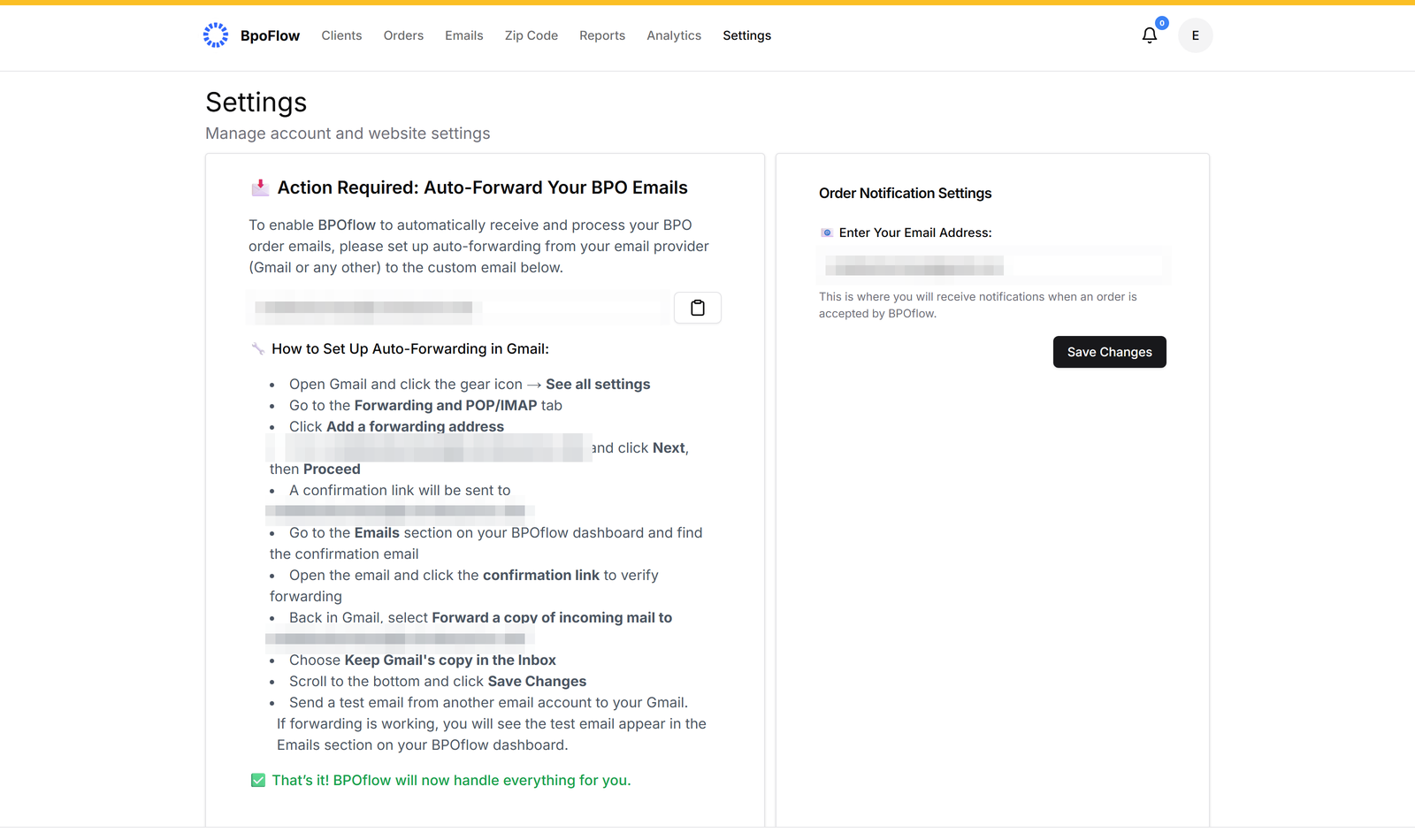
BpoFlow settings — auto-forward setup
Step 02 · Add your vendors

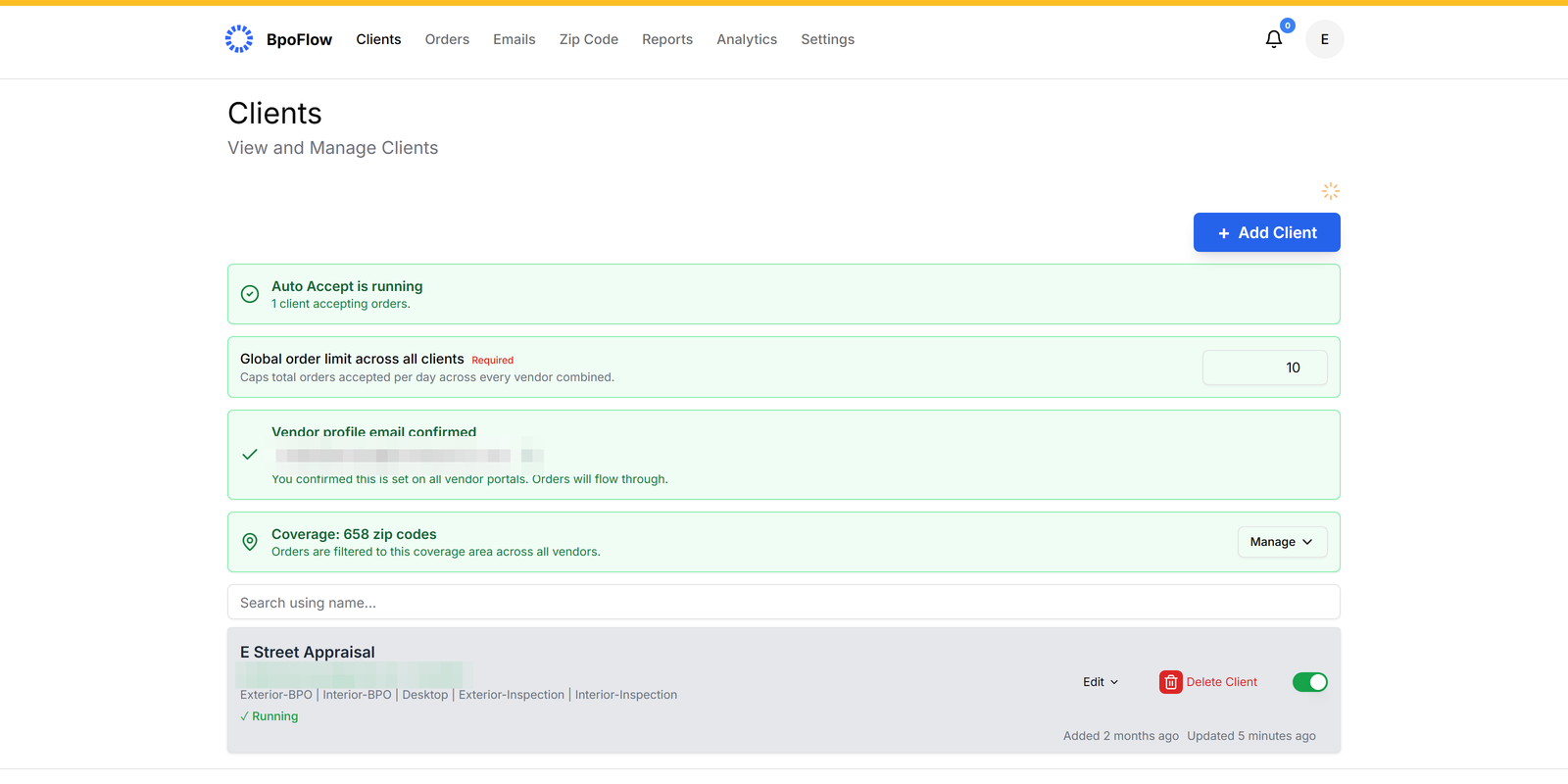
Pick your BPO vendors — 13 included.

For vendors that require portal acceptance, enter your login once. Toggle each vendor on or off anytime.

  • Credentials encrypted at rest
BpoFlow clients — vendors and auto-accept status
Step 03 · Set your rules

Set your filters.

Minimum fee, zip codes, order type, and a daily limit — per vendor. Change them anytime from the dashboard.
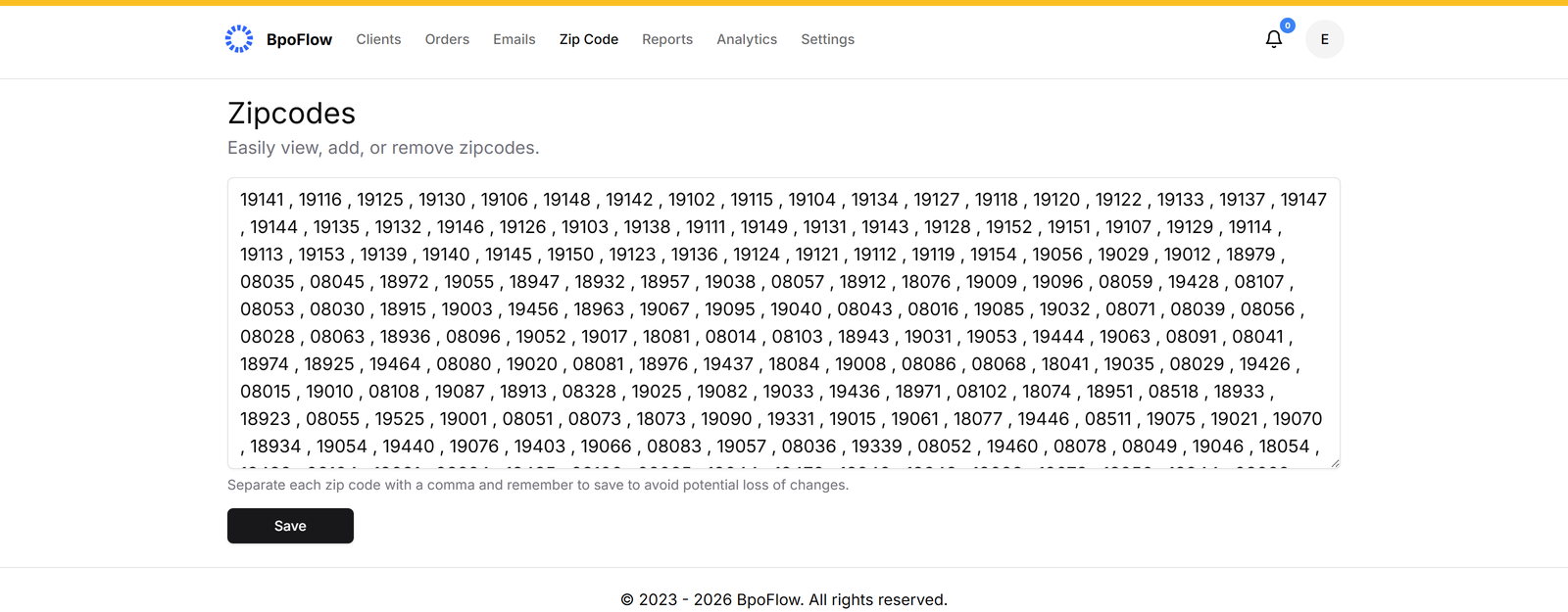
BpoFlow zip code coverage filters
How BpoFlow operates

Your authorized assistant —
not a third party.

BpoFlow runs under your direction, with credentials you provide, doing the same steps you would do manually — just faster.

You authorize, we act.

BpoFlow only operates with the access and credentials you've explicitly granted. It performs the same email checks and acceptance steps you would — instantly, on your behalf.

You set the rules.

Filters, minimum fees, ZIP codes, daily caps — every parameter is yours. BpoFlow never accepts anything outside the criteria you've configured.

You stay in charge.

Pause, adjust filters, or cancel anytime from your dashboard. Every action is recorded in a full audit log so you know exactly what was accepted on your behalf.

A note on independence. BpoFlow is an independent automation tool. We're not affiliated with, endorsed by, or partnered with any BPO vendor. All third-party names and marks belong to their respective owners. You remain solely responsible for ensuring your use of BpoFlow complies with the terms of service of any vendor whose orders you accept.

Pricing

What it costs.

You pay per accepted order, plus a small monthly platform fee.

Pay per accepted order
$2
per accepted
BPO order

Charged only for orders accepted via BpoFlow, including exclusive orders. Inspection orders are $1 each.

  • Orders accepted in 4–12 seconds
  • 13 major BPO companies included
  • Local IP for added security
  • Set daily order limit
  • Advanced analytics dashboard
  • Complex captcha resolution
+ $10
/ month

Platform fee — covers your dedicated server, custom email domain, local IP, and guided 1:1 setup. Credited toward your first 5 accepted orders each month, so 5 orders are included.

A note on timing

Email timing & order availability explained.

Vendors often prepare and schedule order emails in advance. By the time the email is sent out, some orders may have already been canceled, updated, or not gone live yet.

Emails are also sometimes sent in batches — which means other brokers may receive them before we do, depending on how the batch delivery is arranged by the vendor's email system. As a result, some orders may already be claimed by the time we receive them. Read more.

We know missed auto-accepts are frustrating, and we're committed to transparency and continuous improvement. Have questions? Write to us at support@bpoflow.com.

FAQ

Frequently
asked questions.

We've compiled the most important information to help you get the most out of your experience.

support@bpoflow.com

BpoFlow fetches your broadcast email in real time and, based on the criteria you've entered, decides to accept or reject it instantly. For details about limitations and other technical details, click here.

Once you sign up, you'll be assigned a unique email address — you simply auto-forward your vendor emails to it. You also enter your minimum order fee, the zip codes you cover, login details (for vendors that need website login to accept orders), and a daily order limit. That's it. For detailed instructions, click here.

Orders are usually auto-accepted within 4–12 seconds, depending on the vendor. If the order needs to be accepted by logging into the vendor website, the accept time may be on the higher side.

You'll only be charged for orders that are accepted by the system, at $2 per BPO order and $1 per inspection order.

The $10 monthly fee keeps your dedicated infrastructure running — your custom BpoFlow email domain, your dedicated local IP address, and the always-on automation that watches your inbox and accepts or rejects orders against your rules 24/7, like a virtual assistant that never sleeps. It's credited toward your first 5 accepted BPO orders each month, so effectively 5 orders are included. Beyond those, you pay $2 per accepted BPO order ($1 per inspection).

No — BpoFlow doesn't sign up vendors. It only automates order acceptance. You must have existing BPO vendor accounts to receive orders.

Try it on your next broadcast.

Setup takes ten minutes. Pay only when an order is accepted.